
How it works
Browser calling uses WebRTC, a standard built into Chrome, Safari, Edge and Firefox. Audio travels over your internet connection instead of your carrier's voice network, so it doesn't use plan minutes. Both people need a device with a microphone and a working connection.
If you'd like to try it, start a free GhostCall voice call.
What you need
A modern browser, a microphone, and Wi-Fi or mobile data. Wired earbuds usually improve quality and reduce echo, especially on laptops. With no sign-up there is nothing to verify and no password to remember.
What to expect
Quality depends on both connections. If audio breaks up, move closer to your router, pause heavy downloads, or switch between Wi-Fi and mobile data. Browser-to-browser calls connect two people who are both online.
Related reading from GhostCall: GhostCall's guide to free voice calls without signup.
Make a call without creating an account
GhostCall lets you start a voice call from your browser with no sign-up and no phone number.
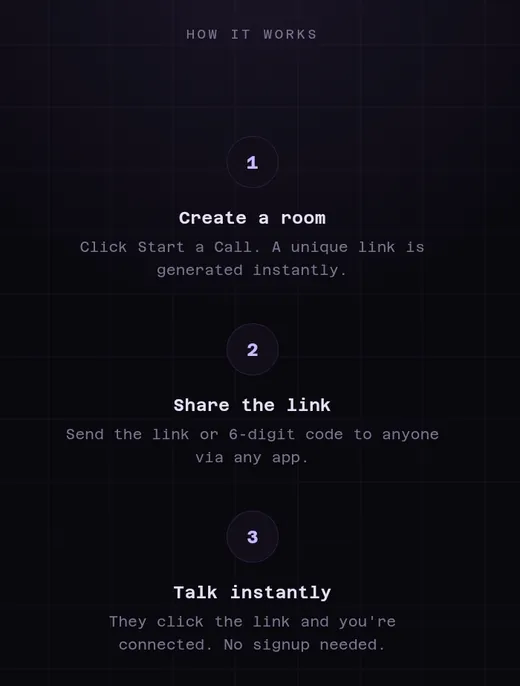
How a GhostCall call starts
- 1Create a room
- 2Share the link or 6-digit code
- 3Talk instantly
Start a call on GhostCall Read the GhostCall FAQ
Free, no credit card. GhostCall is in early access, so a call may occasionally fail.
Common questions
Do I need to install an app?
Not for browser-based calling. Your browser handles the call.
Is it really free?
The call itself has no per-minute charge. It uses internet data, which is effectively free on Wi-Fi and counts toward your plan on mobile data.
Does it work on iPhone and Android?
Yes. Current mobile browsers support WebRTC calling, but you must allow microphone access when asked.