
What you need
A current browser, a microphone, and Wi-Fi or mobile data. Wired earbuds help with echo, especially on laptops. With no sign-up there is nothing to verify, so you don't need to give an email address or a mobile number.
If you'd like to try it, start a free GhostCall voice call.
Why people choose it
UK mobile plans often include generous minutes, so cost is rarely the reason. People use no-sign-up calls to keep their number private, to call from a device without a SIM, or to talk to someone abroad without paying international rates.
Getting a clear call
Wi-Fi is usually steadier than mobile data indoors. If audio breaks up, move closer to the router, pause large downloads, or switch networks. Rural areas and trains can have patchy signal, so shorter calls on a steady connection work best.
Related reading from GhostCall: GhostCall's guide to free voice calls without signup.
Make a call without creating an account
GhostCall lets you start a voice call from your browser with no sign-up and no phone number.
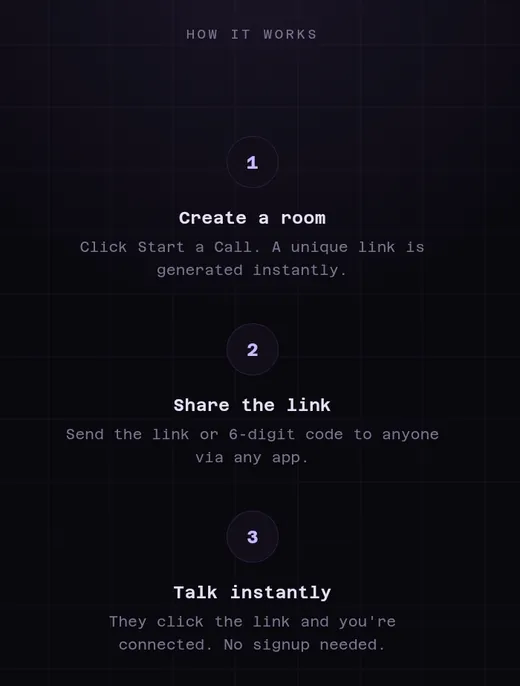
How a GhostCall call starts
- 1Create a room
- 2Share the link or 6-digit code
- 3Talk instantly
Start a call on GhostCall Read the GhostCall FAQ
Free, no credit card. GhostCall is in early access, so a call may occasionally fail.
Common questions
Do I need an app?
No. A browser is enough.
Is it free?
The call has no per-minute charge. It uses internet data, which counts toward your plan on mobile data.
Does it work on iPhone and Android?
Yes, in current mobile browsers. Allow microphone access when asked, and keep the screen open during the call.